Using this web site

Editing or creating images

Creating icons

Creating cursors

Retouching photos

Batch-processing images


Latest tutorials

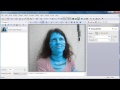
Avatar retouch

Published by Vlasta on April 23rd 2013
How to modify a photo of a person to look like a member of the Na'vi from the Avatar movie. Read more.

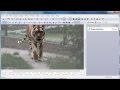
Copying objects from photos

Published by Vlasta on April 8th 2013
Learn how to copy animals or people from one photo to another one. Read more.

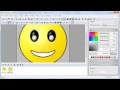
Draw animated smiley

Published by Vlasta on October 24th 2011
Learn how to draw a simple animation of a smiley falling asleep. Read more.

Introduction to picture brush

Published by Vlasta on October 15th 2011
Learn how to use the picture brush and how to design your own picture brushes. Read more.

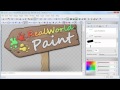
Inside RWPaint splash

Published by Vlasta on October 13th 2011
Learn how the layer styles were used while making the new RealWorld Paint splash. Read more.

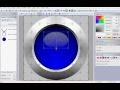
Drawing a metallic ring with glass bubble icon

Published by JDDellGuy on January 17th 2011
Learn, how to use the Ellipse tool and the Linear and Radial gradient fill styles to draw an icon with metallic rings and a glass bubble in it. Read more.

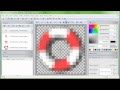
Making a lifebuoy icon

Published by Vlasta on January 14th 2011
Learn to use textures when creating 3D models for icons. Read more.

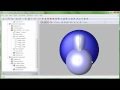
Exclamation mark 3D model

Published by Vlasta on September 18th 2010
Learn how to make a 3D model for an exclamation mark icon from Surfaces of revolution. Read more.

View recently changed pages.

Documentation copyright

Articles in the Help Desk section of this web are copyrighted under the Creative Commons Attribution-ShareAlike 3.0 license (http://creativecommons.org/licenses/by-sa/3.0/). Logged-in users may edit individual articles via and Edit page link in the footer.

speech bubble iconRecent comments

Show older posts
user iconghast on January 25th 0

/

ΠΊΠΉΡƒ
ff

can I ask you a question please? - by can I ask you a question please? on April 9th
is it ok if I upload an image? - by can I ask you a question please? on April 9th
user iconSYBAUπŸ₯€β€οΈ on February 3rd -1

YEET
πŸ˜‰πŸ˜‰πŸ˜‰πŸ˜‰πŸ˜‰πŸ˜‰

user iconVenom on February 17th 0

i love this site

user iconWAZZUPDANGER1133 on February 20th 0

this site is super cool😎😎😎😎😎

user iconlisten to "am into it" on February 21st 0

how do i download the mouse to make it my cursor

Click the download button; Extract the contents of the folder; Search and open "main.cpl" in start menu; Go to pointers tab, Change cursors - by nibbler on February 22nd
user iconSRPFB on February 26th 0

Hello, how do I make windows use nearest neighbor instead of interpolation for my cursor?

you will have to do that in RWPaint. not currently possible in RWCursorEditor, and I made sure to let the dev know - by nibbler on February 27th
also, if you really mean Windows (using a different sized cursor than Windows displays) then that is probably not possible - you'll have to modify your cur file - by Vlasta on February 27th
user iconcarmwn on March 6th 0

how to make you mouse change

Click the download button; Extract the contents of the folder; Search and open "main.cpl" in start menu; Go to pointers tab, Change cursors - by nibbler on March 7th
user iconNan on March 13th 0

Can I customize the grid and the 'window painting' color? If not, can I script it?

user iconCFHAA on March 31st 0

this is so fun!😁

user iconcratz on April 8th 0

How the heck do I make a cursor like the I beam where it inverts all the colors? I've seen sources saying that this software has the XOR function thing to do it, but I can't find the button!

Draw pixels with the pencil tool, of a completely transparent white (hex 00ffffff), then you can draw inverted pixels! - by nibbler on April 8th
user icon