 Sign in
 anaalitapit
yesterday
0
it works yall are dumb
😎😎😎😎😎😎

The cursor library contains both standalone cursors and cursor sets. A cursor set contains multiple cursors with a similar style.
You can download either the entire cursor set, or individual cursor files. To download a cursor set, click on the button that shows the ZIP folder's filename. To download an individual cursor, click on it's panel and click the download link(s) in the cursor's details page, or click on the download icon that appears when you hover over a cursor's panel.
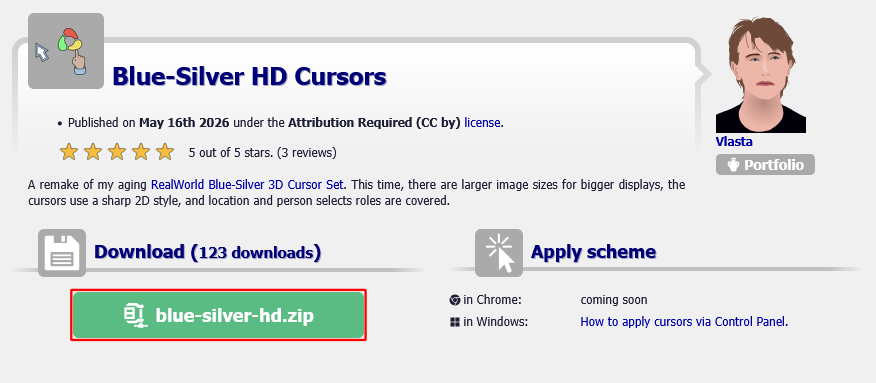
If you are having trouble downloading cursors, right-click on the download link and choose "Save link as" from context menu.
Cursors within downloaded cursor sets are stored in a zipped archive and you will need to extract individual cursors before you can use them. To do this, right-click the zip archive and click on 'Extract All...'. Then click on Extract in the prompt window.
Changing cursor is not as simple as double-clicking it. Operating systems use different cursors in different situations. The method of changing your cursor can vary depending on what OS and version you use.
RW-designer offers a browser extension that allows you to change your Normal Select, Link Select, and Text Select cursors. It directly integrates with the cursor library, allowing you to easily set a cursor right from a set/cursor's page without a required download. This can be useful if you are not using Windows.
RealWorld Cursors is available for both Chrome and Firefox browsers. For info about how to use it, see this page.
First, make sure, you have already downloaded the cursor to your computer as described above and you know in which folder the cursor file is.
Follow these steps (assuming you have Windows XP or newer):
If you are using Windows Vista or up, you can just search for main.cpl in the Start Menu and hit Enter. You can omit the Location Select and Person Select cursors if you are not using Windows 10 19H1 or higher.
 Double click the Mouse icon to display Mouse Properties and then switch to Pointers tab. |  Select a pointer role to replace, click on Browse, and navigate to your downloaded cursor. |
When changing pointers, you can see a preview of the frames of a cursor. Be aware that the preview is not accurate, it does not respect frame duration and sequence.
Cursors are sometimes associated with malware. Here is a guide how to protect yourself from a cursor virus.
Logged-in users can create their own cursors and upload them using RealWorld Cursor Editor. Created cursors can also be uploaded via the Upload new cursor page, which allows bulk uploading and info editing.
 Recent commentsanaalitapit
yesterday
0
it works yall are dumb
😎😎😎😎😎😎
sdftghr
about 18 hours ago
0
mine doesn't work so like
AyPex
about 18 hours ago
0
bro its broken
عمك
about 15 hours ago
0
كيف اسوي البرونزي
idk
about 13 hours ago
0
guys what bout in Chrome????
aura
about 10 hours ago
0
idk
HELOOOOOO
about 10 hours ago
0
THIS DONT WORK-
Thanos
about 8 hours ago
0
IT WORKED YALL ARE STUPID 😠😠😠😠😠 I LOVE MY YIPPIE CURSOR
 hhftf6fttfftftjftcrdtdt7ftgjvrhgf ncr
about 5 hours ago
0
😠😠😠😠😠😠😠😠😠😠😠😠😠😠😠😠😠😠😠😠😠😠😠😠😠😠😠😠😠😠😠😠😠😠😠😠😠😠😠😠😠😠😠😠😠😠😠😠😠😠😠😠😠😠😠😠😠😠😠😠😠😠😠😠😠😠😠😠😠😠😠😠😠😠😠😠😠😠😠😠😠😠😠😠😠😠😠
alik
about 51 minutes ago
0
😠😠😠😠😠😠😠😠😠